By Mladen Terzic
Shopify Apps & Integrations
25th Dec 2025
9 min read
Ultimate Guide to Shopify Plus Enterprise Integrations
Learn how Shopify Plus connects with ERP, CRM, and inventory systems, automates workflows with Shopify Flow, and secures data with PCI-compliant features.


Shopify Plus simplifies enterprise e-commerce by offering seamless integrations with essential systems like ERP, CRM, and payment gateways. Its advanced API capabilities, custom checkout options, and automation tools streamline operations for large-scale businesses across multiple markets and locations.
Key Takeaways:
- API Features: Unlimited API calls, GiftCard API, and Multipass API for secure single sign-on.
- Checkout Customization: Tailored checkout processes, advanced payment methods, and global adaptability.
- System Integrations: Real-time syncing with ERP, CRM, and inventory systems to automate workflows.
- Automation Tools: Shopify Flow and custom scripts for managing inventory, customer segmentation, and order processing.
- Security: PCI DSS Level 1 compliance, HTTPS encryption, and robust access controls.
By leveraging these features, businesses can streamline data flow, scale operations, and enhance customer experiences globally. Whether you're migrating data, integrating third-party apps, or customizing workflows, Shopify Plus provides the tools to support complex enterprise needs.
Shopify Plus and SAP Business One B2B Sales Cycle Integration
Features of Shopify Plus That Support Enterprise Integrations
Shopify Plus offers tools like advanced APIs, checkout customization, and easy integration with external systems to meet the complex needs of enterprise e-commerce. Its architecture simplifies connections with various business tools, making it ideal for large-scale operations.
Advanced API Capabilities
Shopify Plus provides robust API tools, including unlimited API calls and specialized options like GiftCard and Multipass APIs, enabling businesses to create customized integrations [2].
| API Feature | Benefit for Businesses |
|---|---|
| Higher API Rate Limits & GraphQL Support | Efficiently processes large-scale data with precise queries |
| GiftCard API | Integrates personalized gift card programs |
| Multipass API | Offers secure single sign-on functionality |
Checkout Customization for Enterprises
With Shopify Plus, businesses can customize checkout processes, add advanced payment methods, and adapt for global markets using custom scripts. This allows merchants to create a checkout experience tailored to their brand and operational goals.
Integration with External Systems
Shopify Plus works smoothly with ERP, CRM, and inventory systems, automating workflows and minimizing manual tasks. These integrations enhance operational efficiency:
| System Type | Benefits of Integration |
|---|---|
| ERP Systems | Syncs inventory and orders in real time |
| CRM Platforms | Centralizes customer data management |
| Inventory Management | Automates stock updates across sales channels |
The platform supports operations in up to 200 locations and 50 markets, making it well-suited for businesses managing complex, multi-channel strategies [1]. Its scalability and integration options provide the tools enterprises need to streamline their operations and grow effectively.
While these features create a strong base for enterprise integrations, successful implementation depends on thoughtful planning, as discussed in the next section.
Steps for Planning and Implementing Shopify Plus Integrations
Integrating Shopify Plus into your enterprise systems requires thoughtful planning and organized execution. While the platform's architecture supports complex setups, careful preparation is key to achieving smooth results.
Preparing for Integration
Getting ready for integration starts with a detailed system review to pinpoint challenges and define requirements.
| Integration Phase | Key Activities |
|---|---|
| System Audit | Examine current systems and workflows |
| Goal Setting & Planning | Outline objectives and assign roles |
| Technical Assessment | Check API compatibility and integration needs |
Once you've mapped out your approach, focus on ensuring your data moves seamlessly into Shopify Plus.
Best Practices for Data Migration
Migrating your data is a critical step that demands precision. Shopify Plus's Transporter app can handle bulk imports for customer records, product details, and order histories. For more intricate migrations, Shopify Plus APIs help maintain data accuracy.
A staged migration approach minimizes risks to your live store:
- Data Preparation: Clean and organize your existing data.
- Test and Validate: Run trials to confirm everything is accurate.
- Full Migration: Transfer all data once tests are successful.
After your data is securely in place, it's time to expand your store's functionality with third-party apps.
How to Add Third-Party Apps
With your systems reviewed and data migrated, you can enhance your store by integrating third-party apps. Select apps that align with your business needs and ensure they are compatible with Shopify Plus. Certified apps are a safe choice for reliability and smooth integration.
| Consideration | Best Practice |
|---|---|
| App Certification | Opt for Shopify Plus certified apps |
| Performance Impact | Keep an eye on store speed and optimize |
| Integration Depth | Ensure apps align with your workflows |
| Support Level | Confirm vendor offers strong support |
Regularly test your integrations to avoid disruptions. Keep an eye on system performance and user experience to ensure your store runs smoothly as it grows.
sbb-itb-6dc743d
Tips for Successful Enterprise Integrations
Maintaining Scalability and Performance
Shopify Plus is well-equipped to handle large-scale operations. To ensure smooth performance during peak traffic, focus on optimizing Content Delivery Networks (CDNs) for your key markets.
| Performance Factor | Implementation Strategy |
|---|---|
| CDN Distribution | Deploy CDNs across multiple geographic regions. |
| Resource Optimization | Compress images and streamline code. |
| API Management | Monitor API usage and refine call efficiency. |
| Caching Setup | Set up browser and server-side caching. |
Security and Data Protection
Shopify Plus offers PCI DSS Level 1 compliance, ensuring enterprise-grade data security with an impressive 99.99% uptime [1]. While handling growth is essential, protecting your business and customer data is equally critical.
Here are some key security practices to adopt:
- Regularly rotate API keys to reduce risks.
- Use secure tokens for added protection.
- Enable HTTPS encryption on all endpoints.
- Set precise staff permissions to control access effectively.
Testing and Preparing for Launch
Comprehensive testing is crucial to ensure everything runs smoothly before going live. Focus on these main testing phases:
| Testing Phase | Focus Areas |
|---|---|
| Integration Testing | Verify API endpoints and data flow. |
| Load Testing | Simulate high-traffic scenarios and monitor performance. |
| Security Testing | Conduct vulnerability scans and penetration tests. |
| User Acceptance | Validate workflows across different teams. |
Leverage Shopify Flow for automation testing and create custom scripts tailored to your business needs. With support for up to 200 locations and 50 markets [1], testing multi-location functionality is essential for businesses operating across regions.
Once testing is complete, explore advanced tools to expand your store's capabilities and streamline operations.
Tools for Advanced Customization and Automation
Shopify Plus provides a suite of tools designed to simplify workflows and give businesses the ability to tailor their stores through automation and customization.
Automating Tasks with Shopify Flow
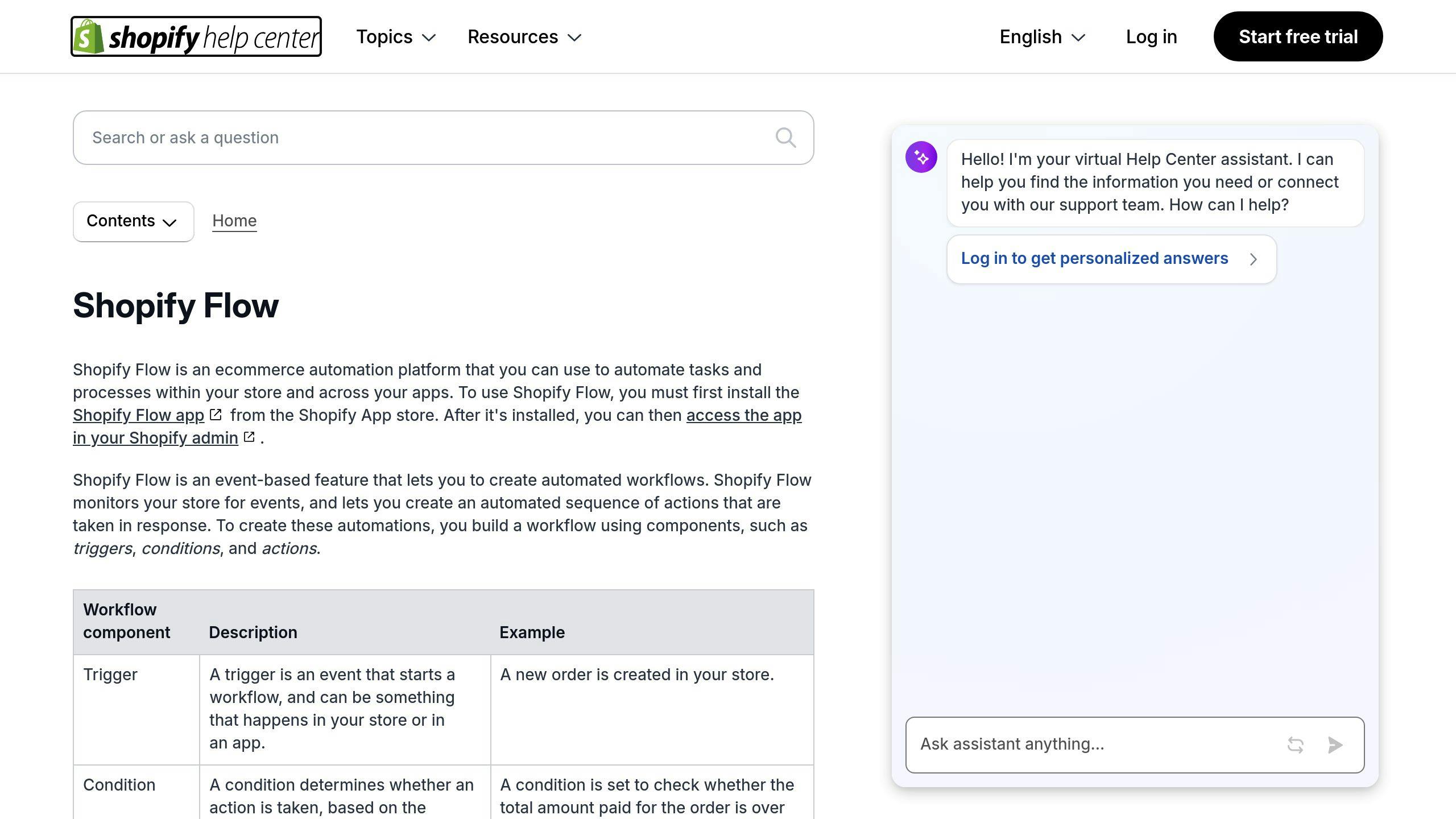
Shopify Flow helps businesses automate repetitive processes, saving time and reducing errors. It’s ideal for tasks like managing inventory, segmenting customers, and processing orders.
| Automation Type | Business Benefit | Example in Action |
|---|---|---|
| Inventory Management | Avoids running out of stock | Automatically reorders items when inventory is low |
| Customer Segmentation | Refines marketing efforts | Tags loyal customers based on their purchase patterns |
| Order Processing | Cuts down on manual work | Flags high-risk orders for extra review |
Customizing with Scripts for Tailored Solutions
With the Script Editor, Shopify Plus users can write custom scripts to fine-tune their stores. These scripts allow for specific adjustments that align with unique business needs.
| Script Type | Purpose | Advantage |
|---|---|---|
| Dynamic Pricing | Adjusts pricing for different customer groups | Encourages higher conversions |
| Shipping Rules | Creates personalized shipping options | Lowers delivery costs |
| Checkout Modifications | Customizes the checkout process | Reduces abandoned carts |
| Product Bundling | Automates bundled product offers | Increases average order value |
For businesses that require deeper customization or complex integrations, expert developers can step in to create tailored solutions.
Codersy: Shopify Plus Development Services

When in-house teams need assistance with advanced requirements, agencies like Codersy specialize in Shopify Plus development. Their expertise can help businesses tackle unique challenges and implement complex features.
| Service Area | Capabilities | Impact on Business |
|---|---|---|
| Custom Theme Development | Designs tailored to the brand | Strengthens brand identity |
| Technical SEO | Optimizes for search engines | Boosts online visibility |
| Headless Development | Builds advanced site architecture | Enhances speed and performance |
| App Development | Adds custom features | Offers unique functionality |
With unlimited sandbox environments, businesses can thoroughly test new features and automations before rolling them out live. This ensures a smooth transition and minimizes risks.
Conclusion: Key Points for Shopify Plus Integrations
Integrating Shopify Plus with your business systems requires careful planning and a clear alignment with your goals. With its advanced APIs and customization capabilities, Shopify Plus allows businesses to connect their eCommerce platform seamlessly with essential tools and processes.
| Integration Component | Key Consideration | Business Impact |
|---|---|---|
| Planning Phase | Strategy for data migration and system compatibility | Reduces disruptions and ensures a smooth transition |
| Technical Implementation | Effective use of APIs and custom scripts | Facilitates efficient system connections |
| Security Measures | Strong data protection and access controls | Protects customer trust and ensures compliance |
| Performance Management | Monitoring scalability and optimizing performance | Handles high-volume operations without sacrificing speed |
Shopify Plus is built to handle complex integrations while maintaining top-notch performance. Take the example of 100% Pure, which used Shopify Plus to streamline operations across five countries and improve promotional campaigns:
"Shopify Plus is super fast and allows us to custom-code promotions, which have been extremely effective." [3]
For successful integrations, focus on these three core areas:
1. Technical Foundation: Leverage REST and GraphQL APIs to synchronize data efficiently and support large-scale operations.
2. Operational Efficiency: Use Shopify Flow to automate workflows, minimize errors, and scale processes effectively.
3. Security Infrastructure: Protect sensitive data with advanced permission settings, regular audits, and frequent API key updates.
Shopify Plus’s APIs ensure precise data synchronization and tailored integrations, making transitions smoother for enterprise systems. Its robust security features allow businesses to maintain strict control over data access and protection.