By Mladen Terzic
Shopify UI/UX & Design
4th Dec 2025
8 min read
How to Optimize Shopify Themes for Mobile
Discover techniques to speed up, simplify navigation, and implement mobile-first design for your Shopify theme—plus advanced tips like headless and AMP.
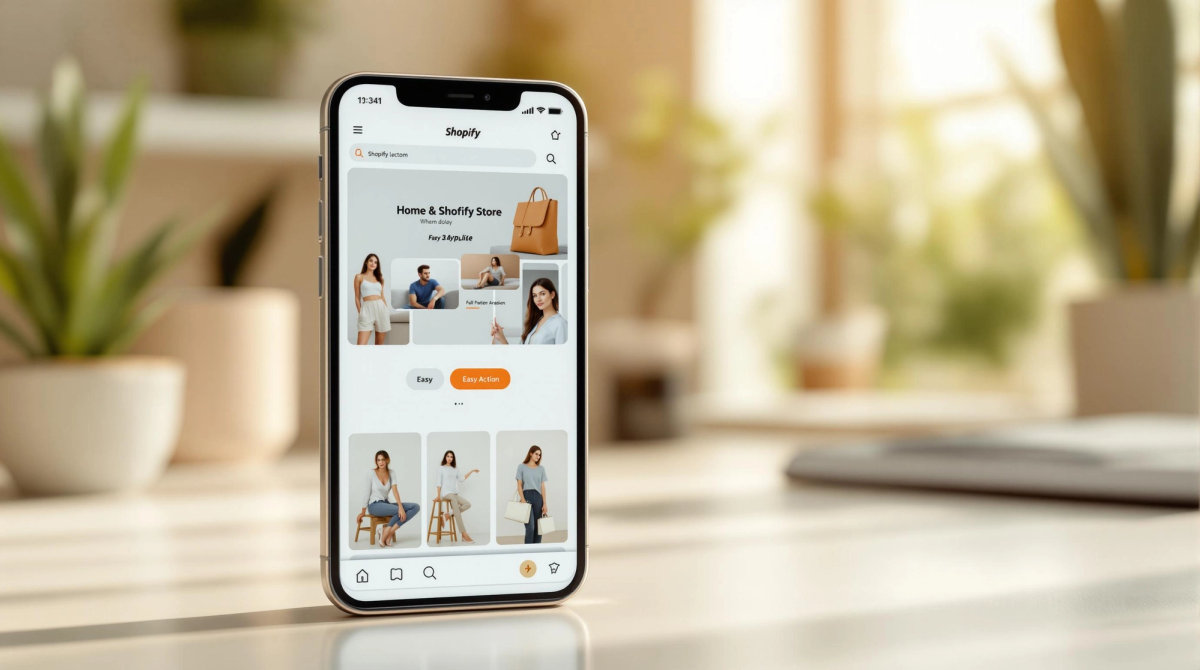

Want to boost your Shopify store's mobile performance? Start here. With mobile devices driving 65% of eCommerce traffic, optimizing your Shopify theme for mobile users is no longer optional. Here's what you need to focus on:
- Speed Matters: A 1-second delay can reduce conversions by 7%. Compress images, enable lazy loading, and choose lightweight themes.
- Responsive Design: Ensure your store adapts seamlessly to any screen size—smartphones, tablets, or desktops.
- User-Friendly Navigation: Simplify menus, use fixed navigation bars, and add large, tappable buttons for easy browsing.
- Mobile-First Features: Design for smaller screens first. Focus on clear layouts, bold visuals, and readable text (16px or larger).
- Testing Tools: Use Google PageSpeed Insights and Shopify Analytics to monitor performance and identify areas for improvement.
For advanced strategies, consider custom themes, headless Shopify architecture, or AMP for lightning-fast mobile pages. Ready to make your Shopify store mobile-friendly? Let’s dive in.
How to Make Your Mobile Shopify Store Look Better

Core Principles for Mobile Optimization in Shopify
Before diving into detailed steps, let’s cover the key principles that ensure a smooth shopping experience on mobile devices. These fundamentals help create a user-friendly store across all screen sizes.
Using Responsive Design
Responsive design makes sure Shopify themes automatically adjust to fit any screen size. This means your store’s layout, images, navigation, and text will look great and work well no matter the device.
Designing with Mobile in Mind
A mobile-first approach starts with designing for smaller screens before scaling up to larger ones. This ensures your store highlights the most important elements for smartphone users. Focus on clean layouts and bold product images that stand out on mobile.
Improving Page Load Speeds
Page speed is crucial for your store’s performance. Even a 1-second delay in loading can cause a 7% drop in conversions. Compress images, enable browser caching, and use lightweight themes to boost load times for mobile users.
If you need expert help, agencies like Codersy specialize in Shopify mobile optimization. Their services include technical SEO, UI/UX design, and page speed improvements.
Don’t forget to regularly test your site using tools like Google PageSpeed Insights. These will pinpoint areas where your mobile experience needs work. Now, let’s dive into actionable steps.
sbb-itb-6dc743d
Steps to Optimize Shopify Themes for Mobile
Choosing a Mobile-Friendly Theme
Pick a theme built for mobile: responsive layouts, fast loading, and mobile-specific features like sticky navigation bars.
Optimizing Images and Videos
Use tools like TinyPNG to compress images without losing quality. Enable Shopify’s lazy loading so only visible images load. Host videos on Vimeo or YouTube to reduce server strain.
| Optimization Type | Recommended Format | Best Practice |
|---|---|---|
| Product Images | .jpg | Max width 800px, compress under 200KB |
| Logos/Backgrounds | .png/.jpg | Use SVG for logos; compress backgrounds under 200KB |
Simplifying Mobile Navigation
Implement a fixed nav bar with key elements (cart, menu). Use collapsible menus to reduce clutter. A clear structure helps shoppers navigate effortlessly.
Adjusting Mobile-Specific Features
Add large, tappable buttons (≥44×44px) with ample spacing. Set body text ≥16px and use larger headlines for readability. These tweaks make interactions smoother.
Testing and Improving Mobile Performance
Use data-driven tests to pinpoint issues and iterate:
| Testing Aspect | Tool | What to Monitor |
|---|---|---|
| Page Speed | Google PageSpeed Insights | Loading times, interaction delays |
| UX & Layout | Shopify Analytics, Dev Tools | Bounce rates, layout consistency |
| Mobile SEO | Google Search Console | Usability issues, mobile-friendliness |
Advanced Techniques for Mobile Optimization
After mastering the basics, these strategies can elevate your mobile UX:
Building Custom Shopify Themes
- Create lightweight, mobile-focused layouts for faster loads.
- Design custom mobile interfaces tailored to your catalog.
Using Headless Shopify Development
Headless commerce separates frontend from backend, offering:
| Benefit | Impact on Mobile |
|---|---|
| Reduced Data Transfer | Faster frontend–backend communication |
| Enhanced Flexibility | Custom mobile interfaces with modern frameworks |
| Improved SEO | Better mobile content indexing |
Implementing AMP for Mobile Pages
- Convert critical pages to AMP format.
- Optimize product pages for near-instant loads.
- Add AMP-specific analytics to track performance.
Conclusion: Steps to Succeed with Mobile Optimization
Key Takeaways
- Technical Setup: Responsive layouts and streamlined code.
- User Experience: Easy navigation and mobile-specific features.
- Advanced Techniques: Custom themes or headless for tailored performance.
| Area | Impact | Action |
|---|---|---|
| Design | Better usability | Mobile-first layouts |
| Speed | Lower bounce rates | Compress images, clean code |
| Navigation | Higher engagement | Simplify menus, fixed nav |
| Content | Boosted conversions | Strong visuals, clear CTAs |
Helpful Tools and Services
Need expert help? Codersy specializes in Shopify Plus services: custom themes, SEO, and speed optimization. Track performance with Google PageSpeed Insights and GTmetrix for actionable tips.