By Mladen Terzic
Shopify UI/UX & Design
17th Nov 2025
9 min read
Top 7 Shopify Polaris Color Guidelines Explained
Learn the top 7 color guidelines from Shopify Polaris—purposeful roles, predefined palettes, semantic tokens, accessibility standards, and implementation best practices.
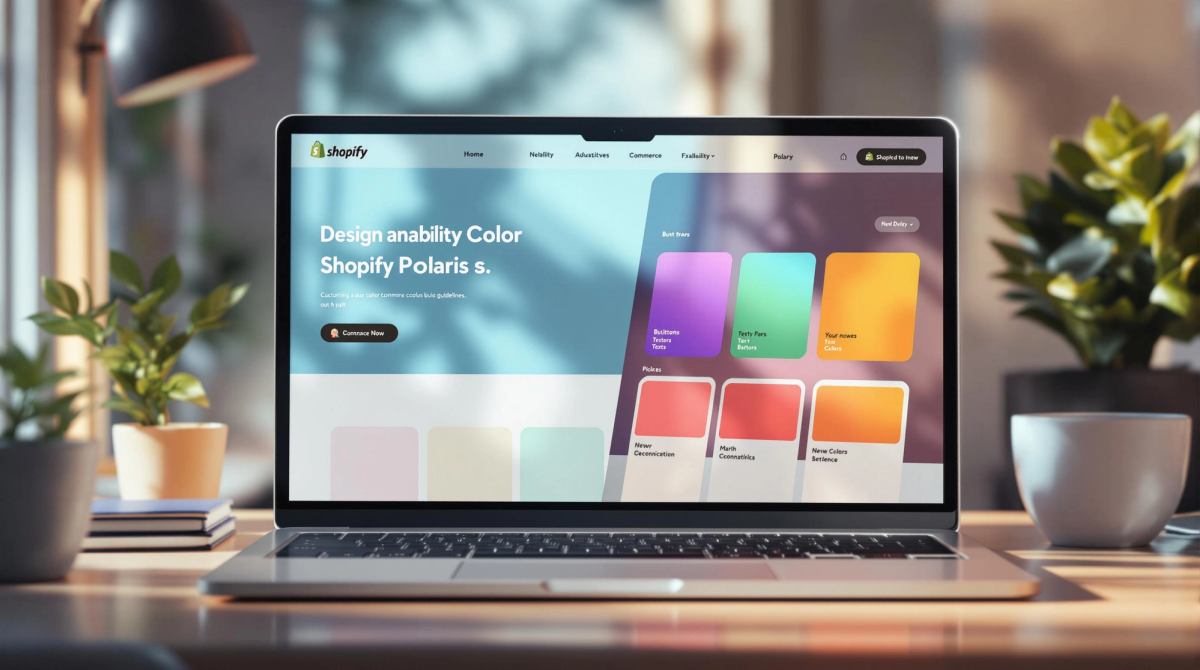

Shopify Polaris is a design system that ensures consistent, accessible, and user-friendly interfaces for Shopify Plus stores. Its color guidelines focus on usability, accessibility, and design simplicity. Here's a quick overview of the key principles:
- Purposeful Colors: Assign clear roles like Default, Warning, Critical, and Transparent to guide user interactions.
- Predefined Palettes: Use 12 core colors with 10-16 calibrated shades for consistency and accessibility.
- Semantic Tokens: Replace hardcoded colors with tokens like
--p-color-textfor easier updates and uniformity. - Accessibility Standards: Ensure text and UI elements meet WCAG contrast ratios (4.5:1 for text, 7:1 for large text).
- Simplified Updates: The new palette uses HSLuv for consistent, perceptually balanced colors.
- Tools for Compliance: Leverage tools like Stylelint Polaris to enforce design standards.
- Best Practices: Use semantic tokens, test contrast, and follow a clear color hierarchy for effective implementation.
Quick Tip: Stick to predefined roles and tokens to streamline customization while maintaining accessibility and design consistency. These guidelines help Shopify Plus merchants create visually appealing and functional eCommerce experiences.
Using color at scale for aesthetics and accessibility
1. Using Colors with Purpose
In Shopify Polaris, colors play an essential role in guiding user interactions and conveying meaning across the admin interface. Each color is assigned a clear purpose:
| Color Role | Description |
|---|---|
| Default | Used for main interface elements like navigation and buttons. |
| Warning | Highlights cautionary details, such as pending actions. |
| Critical | Signals urgent issues, such as error messages. |
| Transparent | Applied to subtle background elements and overlays. |
For Shopify Plus stores, this structured use of colors ensures a polished and cohesive user experience that aligns with the brand's identity. Semantic color tokens help maintain consistency, while organized color usage simplifies navigation.
To use colors effectively, make sure they match their intended function, support a clear visual hierarchy, and fit the context of the interface. Keep in mind that colors should enhance communication, not replace it. For example, a red warning message can grab attention, but it should always include clear text to explain the issue – this ensures accessibility for users, including those with color vision deficiencies.
2. Sticking to Predefined Palettes
Shopify Polaris relies on a set palette of 12 core colors, each with 16 shades. These shades are fine-tuned for Shopify Plus to create consistent and accessible designs, specifically for high-performance eCommerce platforms. This approach streamlines design decisions and ensures balanced, visually appealing color combinations.
Here’s why this predefined palette is so effective:
| Advantage | Explanation |
|---|---|
| Consistency | Each hue includes carefully calibrated shade variations. |
| Accessibility | Contrast ratios are pre-tested to improve visibility. |
| Ease of Maintenance | Managing and updating colors is straightforward. |
| Flexibility | Works seamlessly with semantic color tokens for smooth integration. |
By focusing on fewer, clearer shades per hue, the updated palette eliminates unnecessary overlaps, making it easier to use and understand [2]. These palettes are designed to work hand-in-hand with semantic tokens, ensuring that designs remain cohesive and accessible across various interfaces.
The system also organizes shades by their intended purpose, helping designers build a clear visual hierarchy. This eliminates the need for custom colors while maintaining contrast and balance throughout the design. Every shade is crafted with intention, making it easier to achieve a unified look without extra effort.
3. Assigning Roles to Colors
Shopify Polaris uses clearly defined color roles to maintain consistency in user interactions across the platform:
| Color Role | Primary Purpose | Application |
|---|---|---|
| Default | Baseline theming | Main content areas and neutral messaging |
| Warning | Merchant alerts | Indicators for in-progress or pending statuses |
| Critical | High-priority elements | Error messages and blocked actions |
| Transparent | Low emphasis | Subtle UI elements and backgrounds |
| Inverse | Contrast elements | Dark themes and attention-grabbing components |
| Nav | Navigation | Exclusively for the Shopify admin menu |
To ensure consistency, Shopify relies on semantic tokens like --p-color-text-subdued instead of direct hex codes. This approach not only simplifies implementation but also ensures designs meet accessibility standards and maintain uniformity across the platform [3][1].
Best Practices for Implementation
- Match color roles to their function rather than aesthetics.
- Apply roles consistently to similar components.
- Use roles to establish a clear visual hierarchy.
This system is particularly helpful for complex interfaces where multiple states require clear communication. For instance, in Shopify Plus stores, warning colors draw attention to items that need review, while critical colors indicate urgent actions [1].
4. Understanding Semantic Color Tokens
In Shopify Polaris, semantic color tokens help manage colors by linking them to specific functional roles. This approach ensures consistency and accessibility across the interface. Instead of relying on hex codes or descriptive names like 'light-blue,' these tokens define colors based on their purpose within the design system.
Here's how tokens are categorized:
| Token Type | Example | Purpose |
|---|---|---|
| Base Token | --p-color-text |
For main text |
| Modifier Token | --p-color-text-subdued |
For variations |
| Component Token | --p-color-icon |
For UI icons |
Using semantic tokens makes it easier to maintain consistency, update designs, and meet accessibility standards, such as contrast requirements. For example, when designing a navigation menu, you’d use --p-color-text-subdued instead of directly applying a color code like #6D7175 [2].
Shopify Polaris divides tokens into two types: palette tokens (core colors) and alias tokens (developer-facing). This structure ensures both flexibility and uniformity. When adding tokens to custom themes, keep these best practices in mind:
- Use the predefined tokens wherever possible.
- Stick to the established naming conventions.
- Always consider the context of the token's use.
- Document your choices to support team collaboration.
sbb-itb-6dc743d
5. Ensuring Contrast for Accessibility
Color contrast plays a key role in making interfaces accessible, especially for users with visual impairments. Shopify Polaris uses the HSLuv color space to ensure consistent color perception across UI elements, which is particularly helpful for more complex designs [1].
Here’s a quick reference for contrast requirements:
| Text Size | Minimum Contrast Ratio | Example Usage |
|---|---|---|
| Normal Text | 4.5:1 | Body content, navigation items |
| Large Text (18pt/14pt bold) | 7:1 | Headers, calls to action |
| UI Components | 3:1 | Buttons, borders, interactive elements |
With the Version 11 update, Polaris introduced a refined color palette featuring 10 shades per hue. This update addressed color inconsistencies and improved visibility across key components like cards in the admin interface [1].
To ensure proper contrast in your Shopify store, follow these tips:
- Stick to Predefined Color Roles: Use Polaris's semantic color tokens to maintain consistent contrast across all UI elements.
- Test Regularly: Use contrast-checking tools to confirm compliance with WCAG standards.
- Pay Attention to Context: Make sure interactive elements have enough contrast against their backgrounds.
"Color contrast is crucial for accessibility. A minimum contrast ratio of 4.5:1 for normal text and 7:1 for larger text is recommended by WCAG 2.1." – Web Content Accessibility Guidelines (WCAG) 2.1 [1]
6. Updates to the Polaris Color Palette
Shopify Polaris has refined its color palette to tackle design challenges and give its interface a more modern feel. The overhaul reduced the shades per hue from 16 to 10, simplifying color selection and making implementation easier.
This change addressed problems like hard-to-distinguish gray shades, boosting clarity and usability throughout the platform. The system now uses three types of tokens – Palette, Alias, and Semantic – to ensure consistency and make updates more manageable.
| Token Type | Purpose | Usage |
|---|---|---|
| Palette Tokens | Private, base colors | Used to create new alias tokens |
| Alias Tokens | Public-facing colors | Building elements for the admin interface |
| Semantic Tokens | Context-specific colors | Ensuring consistent meaning and usage |
The palette now uses HSLuv, a tool that improves color consistency across hues by focusing on perceptual uniformity. This new token system simplifies updates across the platform while maintaining a cohesive design.
For Shopify Plus merchants, these changes mean quicker customization of themes and better design consistency for high-performance eCommerce sites. Shopify also provides detailed documentation to help developers align custom themes and apps with its design standards and accessibility requirements.
"The new architecture allows for easier evolution and rollout of design changes across the system" [2]
These improvements make it simpler for developers to apply Polaris guidelines, enabling them to create visually consistent and accessible Shopify Plus experiences.
7. Tips for Applying Polaris Color Guidelines
Here’s how you can effectively apply the updated Polaris palette to your Shopify Plus store.
Implementation Best Practices
-
Use Semantic Tokens: Swap out hardcoded color values (e.g.,
#FFFFFF) for semantic tokens like--p-color-background-primary. This ensures your store's design is consistent and easier to manage over time. -
Leverage Development Tools: Tools like Stylelint Polaris can automatically check your store's interface for color compliance. This helps catch issues early in the development process.
-
Follow Color Hierarchy:
- Primary tokens should be used for key interface elements.
- Secondary tokens are ideal for supporting components.
- Tertiary tokens work well for subtle details.
Common Implementation Challenges
Developers often encounter specific challenges when applying Polaris colors. Here’s how to tackle them:
| Challenge | Solution |
|---|---|
| Theme Customization | Use semantic tokens to keep designs consistent while allowing branding tweaks. |
| Dark Mode Support | Implement inverse tokens to maintain proper contrast in different themes. |
| Component Updates | Rely on Polaris tokens for seamless updates across your store’s interface. |
For more complex setups, Codersy suggests using Polaris's built-in tools and documentation. This approach makes it easier to balance customization with visual consistency, ensuring your store meets both design and business needs.
"The consistent application of Polaris guidelines ensures a cohesive and accessible user experience, which is crucial for store success" [1]
Conclusion
Shopify Polaris offers a clear framework for creating visually consistent and user-friendly Shopify Plus stores. Its structured color palette and use of semantic tokens make it easier to design interfaces that are both functional and accessible.
Here are some key advantages:
- Visual Consistency: Delivers a unified shopping experience across the store.
- Accessibility: Ensures readability with proper contrast ratios.
- Ease of Updates: Semantic tokens simplify design adjustments.
- Brand Flexibility: Allows customization while staying true to design principles.
With Version 11, Shopify Polaris minimizes excessive color variations and enhances shade distinctions [2]. These updates help developers craft focused and intentional designs that improve the overall user experience. By applying the tips shared earlier, developers can integrate these principles smoothly into their projects.
For merchants, collaborating with skilled developers is crucial. Companies like Codersy excel in implementing Polaris guidelines to build optimized Shopify Plus stores. Their approach blends technical expertise with a focus on user-friendly design.
When done right, these guidelines create shopping experiences that are intuitive, accessible, and engaging for both merchants and their customers.
"The consistent application of Polaris guidelines ensures a cohesive and accessible user experience, which is crucial for store success" [1]
FAQs
Here are answers to some common questions about Shopify Polaris's color system and palette, explaining its use and design principles:
What color system does Shopify use?
Shopify relies on the HSLuv color system (Hue, Saturation, Lightness, and perceptual uniformity). Unlike traditional RGB or HSL, HSLuv offers more predictable and consistent color representation. This makes it easier to maintain uniform visuals and create reliable color variations across interfaces. It's especially useful for ensuring contrast ratios and meeting accessibility standards within the Shopify admin.
What color palette does Shopify use?
The Polaris palette is centered around core colors, each assigned specific roles such as warnings, navigation, or critical alerts. Shopify uses semantic tokens to apply these colors consistently, ensuring that their purpose and functionality remain clear across all contexts. Recent updates have simplified the token system, helping developers build consistent color schemes while upholding accessibility requirements [2].
Key aspects of the palette include:
- Semantic tokens for clear and consistent usage
- Multiple lightness levels to meet accessibility guidelines
- Defined roles to ensure functional clarity
- Streamlined tokens for easier updates and implementation
These principles help Shopify Plus stores deliver designs that are cohesive, accessible, and visually appealing.
"The consistent application of Polaris guidelines ensures a cohesive and accessible user experience, which is crucial for store success" [1]