
How to Prepare Your Shopify Store for AI Shopping: ChatGPT, Google AI Mode & Agentic Commerce
Preparing a Shopify store for AI shopping does not start with AI-written product descriptions.
It starts with making sure the store can explain its products clearly outside the normal product page experience. When a shopper asks ChatGPT, Google AI Mode, Gemini, or another AI tool for help, the product may be compared, filtered, or summarized before the shopper ever lands on the store.
That changes what “ready” means.
A polished product page can still be weak for AI shopping if the data behind it is unclear. A product title may sound nice, but fail to say what the item actually is. A description may feel persuasive, but leave out the details someone needs to compare it with another product. A feed may send old price or availability data into an external shopping system. A checkout flow may depend on apps or tracking logic that works well on the normal store, but behaves differently in an AI-assisted purchase path.
This is why Shopify merchants should treat AI shopping readiness as a store preparation project, not a content trend.
OpenAI’s commerce documentation explains that product feeds give ChatGPT access to catalog data, product attributes, pricing, availability, images, and other product information used in shopping experiences. Shopify also has Agentic Storefronts documentation for making products available across AI shopping channels such as ChatGPT, Google AI Mode and Gemini, Microsoft Copilot, and Meta.
The practical takeaway is simple: do not only prepare the visible product page.
Prepare the product system behind it.
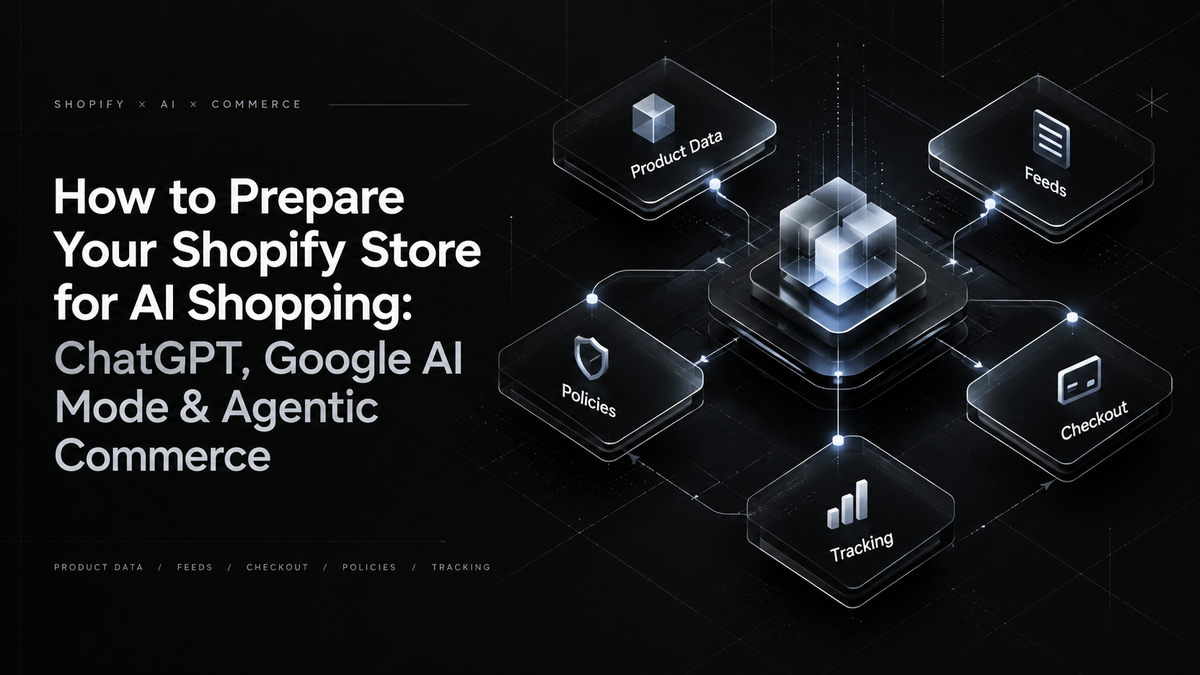
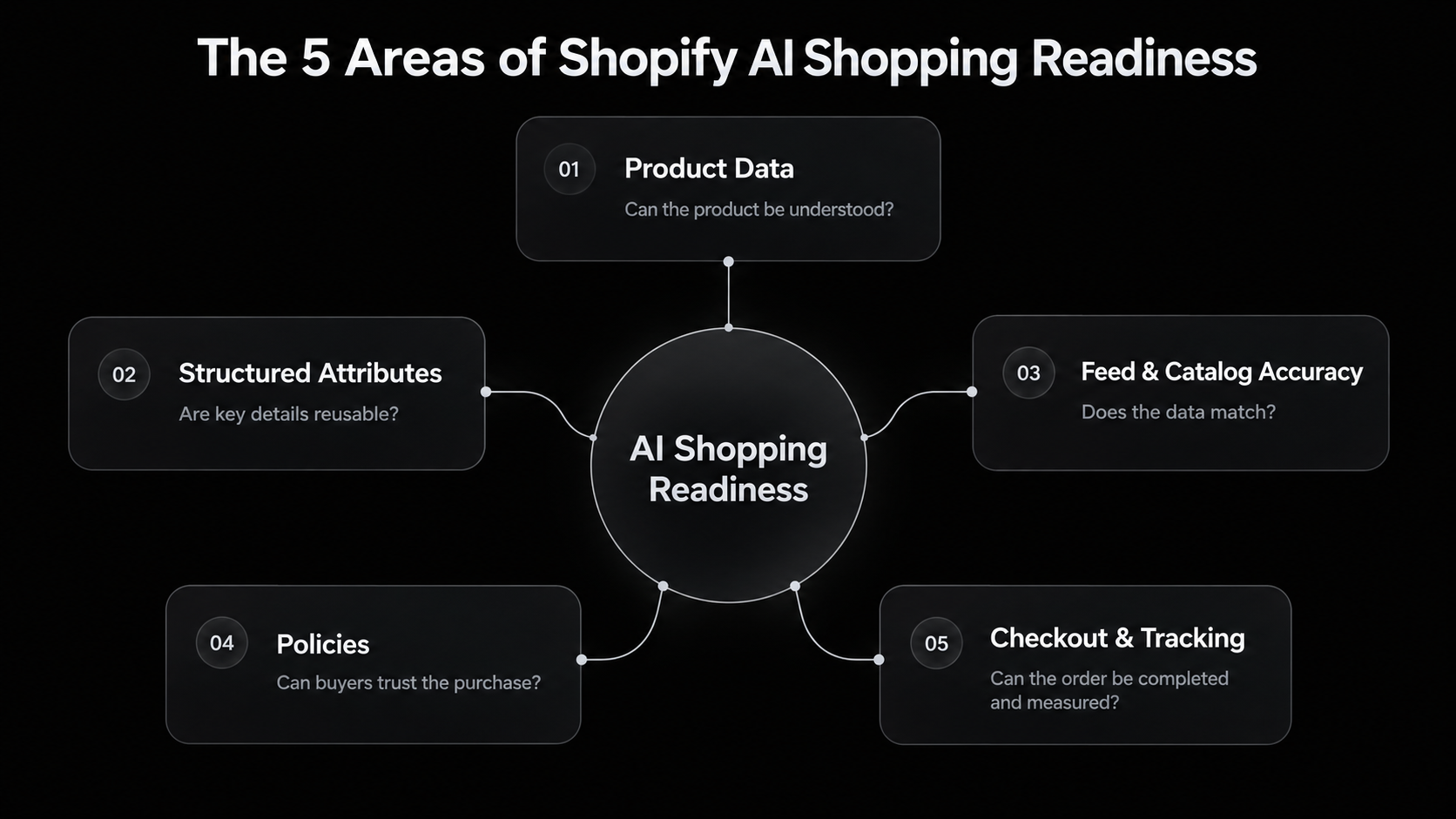
Start With the 5 Areas AI Shopping Actually Depends On
Before optimizing for every new AI shopping channel, start with the parts of the store that influence almost every AI-assisted buying journey.
These are the areas worth checking first.
| Area | What to check | Why it matters |
|---|---|---|
| Product data | Product titles, product types, categories, variants, attributes, GTIN/MPN where relevant, and core specifications | AI-assisted shopping depends on clear product identity before it can compare or recommend anything |
| Structured attributes | Metafields, metaobjects, size guides, compatibility notes, materials, ingredients, dimensions, warranty details, and limitations | Important buying information should not live only in images, random tabs, or inconsistent copy |
| Feed and catalog accuracy | Shopify product data, Shopify Catalog, Google Merchant Center, pricing, inventory, availability, product eligibility, and shipping settings | AI shopping channels and external discovery systems need product information that matches the live store |
| Policies and buying confidence | Shipping, returns, warranty, support, delivery expectations, restrictions, and product conditions | Buyers and AI-assisted shopping flows need clear post-purchase expectations before the sale happens |
| Checkout and tracking | Checkout apps, bundles, subscriptions, pickup options, custom fields, pixels, analytics events, and attribution | Some AI shopping paths may not behave exactly like a standard visit through the online store |
A simple store may not need a major rebuild. In many cases, the first useful step is to make the product pages clearer, clean up confusing variant names, and move important product details out of images or vague copy.
A more complex store usually has a different problem. The issue is often not one weak product page, but the way product data moves between Shopify, Merchant Center, inventory systems, product templates, apps, and checkout. When that flow is messy, AI shopping channels may receive an incomplete or outdated version of the product.
So the order should stay practical.
Start with the product itself. Make it clear what it is, who it is for, what options exist, and what the buyer needs to know before purchase.
Then check whether that same information stays accurate everywhere else the product appears: on the PDP, in structured data, in product feeds, in catalog data, in policies, and through the checkout path.
Make Product Data Clear Enough to Be Used Outside the PDP
Before changing every product description, review your most important products and check whether they still make sense outside the full product page.
Start with 10 to 20 products that already bring revenue, rank well, or appear in paid campaigns. Open each product in Shopify and check the information that an external shopping system would need before the shopper reaches the PDP.
| Where to check | What to improve |
|---|---|
| Product title | Make sure the title says what the product actually is, not only how the brand wants it to sound. |
| Product type and category | Use accurate product categories instead of broad or internal labels. |
| Variants | Replace unclear names like “Default Title”, “Option 1”, “Pack A”, or internal SKU-style wording. |
| Metafields | Move specifications, dimensions, materials, ingredients, compatibility, care notes, and warranty details into structured fields where possible. |
| Product copy | Use the description to explain fit, use case, limitations, and buying context, not just lifestyle messaging. |
| Images | Do not put essential information only inside image text, size graphics, or comparison images. |
A weak setup would be a jacket called “Adventure Jacket” with a description that says it is “made for outdoor comfort”.
A stronger setup would call the product “Men’s Waterproof Lightweight Hiking Jacket”, then use the product page and metafields to explain waterproof rating, material, fit, season, weight, care instructions, warranty, and suitable use cases.
The goal is not to make every product page longer.
The goal is to make the product easier to understand when it appears outside the store, whether that is in search results, feeds, AI shopping answers, product comparisons, or external catalog systems.
A good test is simple: if someone removed the images and brand styling, would the product data still explain what the product is, who it is for, and what the buyer needs to know before purchase?
If the answer is no, start there.
Keep Shopify, Merchant Center, Catalog Data and PDP Content Consistent
After the product page is clearer, check whether the same product information appears correctly everywhere the product is used.
Start with your most important products: bestsellers, high-margin products, products in paid campaigns, and products that already get organic traffic. For each one, compare the live PDP with the data in Shopify Admin, Google Merchant Center, Shopify Catalog, and checkout.
| What to compare | What to check |
|---|---|
| Price | The price should match on the PDP, in Shopify product data, in Merchant Center, and at checkout. |
| Availability | Inventory should be accurate at variant level, not only at product level. |
| Variants | Sizes, colors, bundles, packs, and configurations should be named clearly and mapped correctly. |
| Product category | The product should sit in the right Shopify category and, where relevant, the right Google product category. |
| Shipping | Delivery cost, delivery time, restrictions, and excluded locations should not appear for the first time at checkout. |
| Returns | The return policy should match what the shopper sees before purchase, especially for sale items, custom products, hygiene products, or worn items. |
| Identifiers | GTIN, MPN, SKU, and brand fields should be filled where they are relevant and available. |
For Google AI Mode and Gemini, this is especially important because Shopify says product discovery is powered by Google Merchant Center, and merchants should keep product data and store policies up to date so the information in Merchant Center matches the online store.
For a simple store, this check may only take a few hours. Fix product fields, review Merchant Center warnings, clean up variant names, and make policy pages clearer.
For a more complex store, the same check may reveal a deeper data problem. Pricing may come from an ERP, inventory may come from a warehouse system, and product attributes may live outside Shopify. In that case, AI shopping readiness may depend on cleaner Shopify API integration, not just better PDP copy.
A useful rule: take one product and follow it from Shopify Admin to PDP, Merchant Center, catalog data, shipping policy, return policy, and checkout.
If the product changes price, availability, meaning, eligibility, or conditions along the way, fix that before spending time on advanced AI optimization.
Understand the Difference Between ChatGPT and Google AI Mode
Do not prepare for ChatGPT and Google AI Mode as if they are the same channel.
They can both influence product discovery, but the buying path is different.
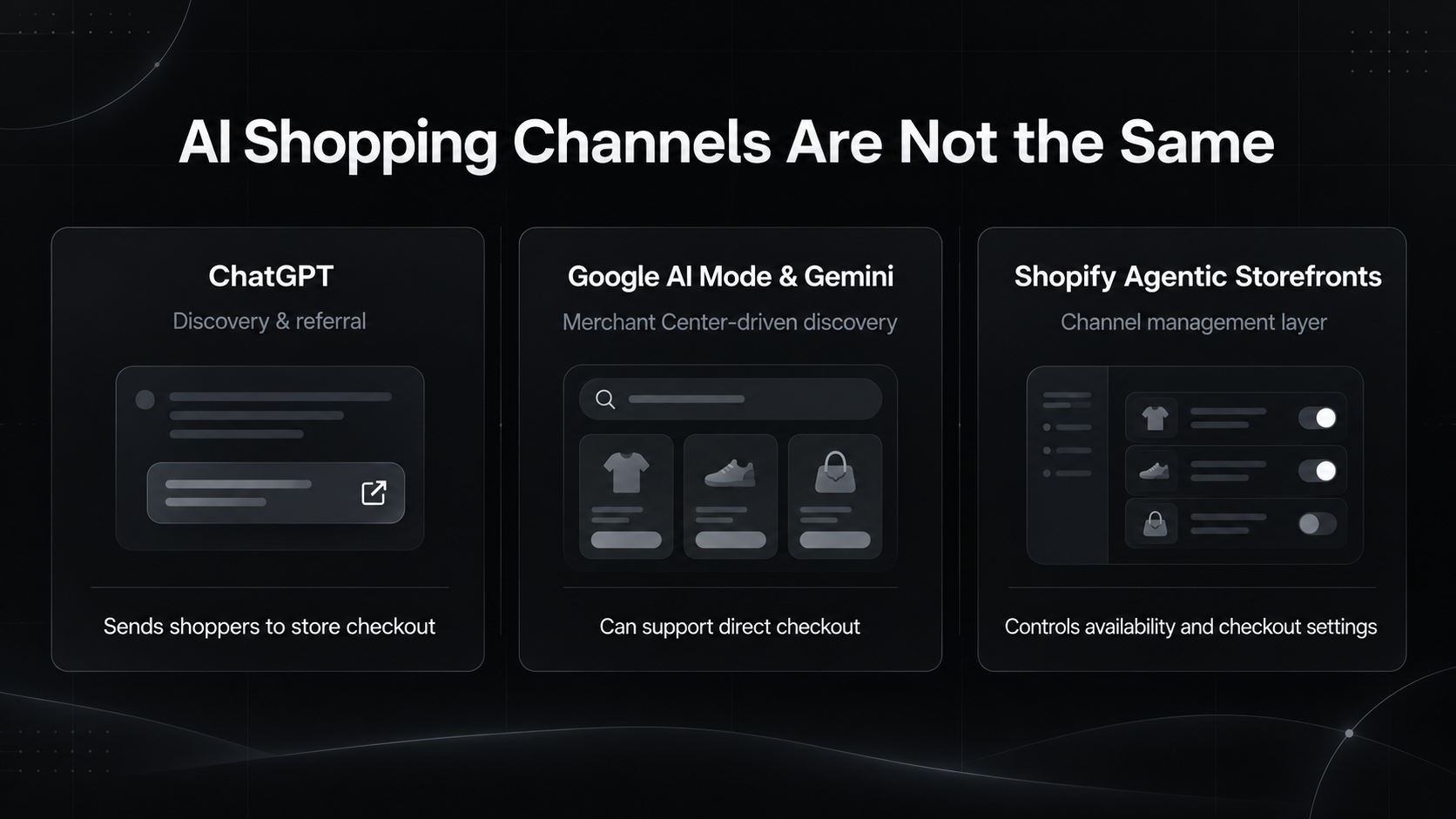
| Channel | How it usually affects Shopify merchants | What to prepare |
|---|---|---|
| ChatGPT | Helps users discover and compare products, then sends Shopify shoppers to the merchant’s online store checkout. | Product context, catalog quality, crawlable PDP content, clear descriptions, accurate availability, and a strong post-click experience. |
| Google AI Mode and Gemini | Use Google Merchant Center for product discovery and can support Shopify-powered direct checkout for eligible stores. | Merchant Center accuracy, product eligibility, pricing, availability, shipping, return settings, and direct checkout readiness. |
| Shopify Agentic Storefronts | Lets merchants manage supported AI shopping channels from Shopify and control where direct checkout is active when the channel supports it. | Channel access, product availability, catalog settings, direct checkout settings, and ongoing data accuracy. |
Shopify’s Agentic Storefronts documentation says customers can discover and purchase products through AI channels such as ChatGPT, Google AI Mode and Gemini, Microsoft Copilot, and Meta. It also says ChatGPT sends customers to the merchant’s online store checkout, while Google AI Mode, Gemini, Microsoft Copilot, and Meta can support Shopify-powered direct checkout when activated.
This difference changes what you should check.
For ChatGPT, look at whether your product can be understood in a conversational discovery setting. The product title, description, variants, attributes, images, reviews, and policies should give enough context for someone comparing options before visiting the store.
For Google AI Mode and Gemini, start with Merchant Center. Check product approvals, disapprovals, missing attributes, availability mismatches, pricing issues, shipping settings, and return settings. If the feed is messy, the AI shopping experience starts from messy data.
For Shopify Agentic Storefronts, review which AI channels are enabled, which products are available, and whether direct checkout is active where supported. Shopify also notes that direct checkout for Google AI Mode and Gemini is rolling out to eligible stores, so availability may differ by store.
The practical point is simple: ChatGPT readiness is not only Merchant Center work, and Google AI Mode readiness is not only product page copy.
Each channel reads and routes product information differently, so the store should be checked according to the channel that will use it.
Check What Happens After the Click or Direct Checkout
AI shopping readiness does not stop when the product is discovered.
The next step is to check what happens when the shopper tries to buy.
Start with the products where the purchase flow is not completely standard: bundles, subscriptions, customizable products, products with local pickup, products that use special shipping rules, and products that depend on checkout blocks or custom fields.
For ChatGPT, Shopify says customers are sent to the merchant’s online store checkout, either inside ChatGPT’s in-app browser or in a new tab on ChatGPT web. That means the normal store experience still matters after the click.
For Google AI Mode and Gemini, the direct checkout path can behave differently. Shopify notes that some features are not supported in direct checkout, including product bundles, custom pixels, local delivery, in-store pickup, and pickup points. It also notes that Google Analytics and custom pixels do not fire in that direct checkout flow.
That gives merchants a very practical test.
Take several product types and check whether the buying path still works clearly:
| Product or checkout case | What to check |
|---|---|
| Simple product | Price, availability, shipping, tax, payment methods, and confirmation flow. |
| Product with variants | Whether the right size, color, pack, or configuration stays clear through checkout. |
| Bundle product | Whether the product is eligible for AI channel checkout or needs to stay in the online store flow. |
| Subscription product | Whether the subscription logic is supported or should be excluded from certain AI shopping paths. |
| Customizable product | Whether custom fields, personalization, or upload steps still work properly. |
| Pickup or local delivery product | Whether the purchase depends on delivery methods that may not be supported in direct checkout. |
| Checkout block dependency | Whether upsells, loyalty messages, consent blocks, custom validation, or special notices are essential to the order. |
| Tracking dependency | Whether the team can still measure visits, orders, and conversion quality when the path does not behave like a normal storefront session. |
This is where AI readiness connects with checkout work.
A store may have clean product data and still create problems if the order depends on a checkout message that does not appear, a bundle structure that is not supported, or tracking that the team assumes will fire normally.
For stores that rely on checkout apps, custom validation, tracking logic, or Shopify Plus checkout customizations, this should be reviewed together with Checkout Extensibility, not treated as a separate AI marketing task.
The practical rule is simple: do not only check whether the product can appear in an AI shopping channel.
Check whether the order can be completed, measured, and fulfilled correctly after the shopper gets there.
Final Thoughts: Prepare the System, Not Just the Product Page
AI shopping should not push Shopify merchants into chasing every new AI app, prompt, or optimization trend.
The better move is to make the store easier to understand and easier to trust.
For some stores, that starts with cleaner product titles, better variant names, clearer descriptions, and complete policy pages. For others, it means improving metafields, Merchant Center data, inventory sync, checkout behavior, API integrations, and tracking.
The goal is not to create a separate “AI version” of the store.
The goal is to make the existing Shopify store clearer across the places where products are discovered, compared, purchased, measured, and fulfilled.
Stores with stronger product context, cleaner data, consistent feeds, and reliable checkout paths are better positioned for ChatGPT, Google AI Mode, Gemini, and whatever the next phase of agentic commerce looks like.