

Shopify Markets is the part of Shopify that lets one store sell to several countries, each with its own currency, language, prices, domain and product range. In 2026 every Shopify plan can create as many country or region markets as it needs, for free. What changes by plan is how far you can customise each market: local currencies need Shopify Payments, per-market theme and checkout settings need Advanced or Plus, and separate expansion stores are a Plus feature.
This guide explains how Markets works today, what each plan gets, how currencies, languages, domains and duties behave, and where Markets stops and a second store makes more sense. We checked every fact against Shopify's help centre, pricing page and changelog in November 2026, and we add what we have learned setting up international stores for clients.
What is a market in Shopify?
Shopify defines a market as a set of customers you define in your store. Since the new version of Markets, a market can be built on four kinds of conditions:
| Market type | Condition | Typical use |
|---|---|---|
| Country or region | The buyer's country or a group of countries | Cross-border selling: an EU market, a UK market, a US market |
| B2B | Company locations | Wholesale prices and catalogs for business customers |
| Retail | Shopify POS locations | Different prices or products in physical stores |
| Channel | Sales channels | Channel-specific prices, availability and currency (added June 2026) |
When several markets apply to one buyer, B2B takes precedence over retail, and retail over country or region. Catalogs from all markets that apply are combined. New markets inherit the store's default settings, and submarkets, created inside an existing region market, inherit the customisations of their parent.
How many markets can you have on each Shopify plan?
There is no limit on country or region markets, and Shopify says creating them is free on every plan. Older articles still quote caps of 3 markets on Basic and 50 on Plus; those limits no longer appear on any Shopify page.
The plan matters for what sits inside a market:
| Feature | Basic / Grow | Advanced | Plus |
|---|---|---|---|
| Country and region markets | Unlimited | Unlimited | Unlimited |
| Local currencies | Yes, with Shopify Payments | Yes, with Shopify Payments | Yes, with Shopify Payments |
| Languages | Up to 20 | Up to 20 | Up to 30 |
| Theme settings and content per market | No | Yes | Yes |
| Checkout and customer account branding per market | No | Yes | Yes |
| Active B2B catalogs | Up to 3 | Up to 3 | No limit |
| Business entities per market | No | No | Yes |
| Free expansion stores | No | No | Up to 9 |
How do currencies and prices work in Shopify Markets?
Each market can show prices in its local currency, but only if the store uses Shopify Payments or Adyen. Without them, customers pay in the store's default currency. This is the single biggest limit for merchants whose company is in a country where Shopify Payments isn't available.
You have three ways to set prices per market:
- Automatic conversion. Shopify converts from your base currency at the current market rate, updated regularly. Rounding rules then turn €23.17 into a price that looks deliberate, such as €23.95.
- Manual exchange rate. You fix the rate per currency, so prices don't move when the rate does.
- Catalog prices. A catalog can raise or lower all prices in a market by a percentage, and a fixed price on a single product overrides that adjustment. Use it when a product needs a round price in a key market, or when your margins differ by country.
Two costs come with selling in other currencies. Shopify Payments charges a currency conversion fee of 1.5% or 2%, depending on where your store is based. And fixed-amount discounts can only be created in the store's default currency, so a "€10 off" code becomes a converted amount elsewhere.
How do languages and translations work?
You can sell in up to 20 languages on Basic, Grow and Advanced, and up to 30 on Plus. A language has to be added to the store before you can assign it to a market, and each market can have its own set of languages.
Translations are usually managed with Shopify's free Translate & Adapt app. It translates up to 2 languages automatically (8 in some countries), and you can add as many manual translations as you like. The "Adapt" part handles spelling and wording that differ between markets, such as British and American English.
Two limits catch people out. URL handles can't be customised per market, so a translated product keeps the same handle in every language. And product tags can't be translated, so don't use them for text customers see.
Subfolders, subdomains or country domains: which should you use?
Each market can live on a subfolder (example.com/de), a subdomain (de.example.com) or its own top-level domain (example.de). Shopify's own guidance sums up the trade-off:
- Subfolders share the authority of your main domain. They are the easiest to set up and usually the best choice for a growing brand. This is what we recommend in most cases.
- Country domains give the strongest local signal to customers and search engines, but each domain builds its authority separately.
- Subdomains sit in between and rarely have a reason to exist on a new setup.
Shopify generates hreflang tags automatically for markets that have their own domain, subdomain or subfolder, and points x-default at the market that contains your backup region. If you use separate domains, submit the sitemap for each one in Google Search Console. Each market's sitemap lists only the products available in that market. Our hreflang guide for Shopify covers how to check the tags.
Shopify can also redirect customers to the domain and language that matches their location and browser. Search engine crawlers are excluded from that redirect, which matters, because Google advises against automatically sending users from one language version to another. Always keep a visible country and language selector so people can switch back.
How do duties and import taxes work?
Every plan can estimate and collect duties and import taxes at checkout, so international customers pay everything up front and don't meet a surprise bill at delivery. Shopify charges a fee for this: 0.85% with Shopify Payments or 1.5% without, temporarily lowered to 0.5% since February 2025. To collect duties you need HS codes on your products and, if you buy labels through Shopify, a carrier that supports delivered-duty-paid labels.
Duties changed in the EU this year. From 1 July 2026 the EU charges a €3 import customs duty per tariff line on low-value orders up to €150, and Shopify supports it at checkout. If you ship small orders into the EU from outside it, check that your duty settings and HS codes are in place.
What is Managed Markets?
Managed Markets, the successor to Markets Pro, hands cross-border compliance to Global-e, which acts as merchant of record. Global-e becomes the legal seller to the international customer and handles duties, import taxes and local compliance in more than 150 regions. It costs 3.5% per transaction, or 3.25% on Plus, with no extra fee for duties.
The catch is eligibility: your business has to be based in the United States, Canada or the United Kingdom, and use Shopify Payments. A brand based in the EU or the Balkans can't use it and runs duties and taxes through standard Markets settings instead.
What can you customise per market?
- Products and prices: a catalog per market decides which products are available and at what price. Products not in a market's catalog disappear from that market's storefront and sitemap.
- Theme settings and app embeds: since March 2026, stores on Advanced or Plus can change theme settings, content and app embeds per market. You still publish one theme for the whole store.
- Checkout and customer accounts: since March 2026, Advanced and Plus can change checkout and account branding, settings and blocks per market.
- Payment methods and shipping: each market shows only the payment methods and shipping rates that apply to it.
When is one store with Markets not enough?
For most brands, one store with several markets is easier to run than several stores: one product catalog, one inventory, one set of apps and one theme to maintain. A separate store, or a Plus expansion store, starts to make sense when:
- a market needs a different company to sell, with its own payment provider and invoices;
- the product range or content is so different that per-market settings turn into a second site;
- your company can't use Shopify Payments, so one store can't charge in several currencies.
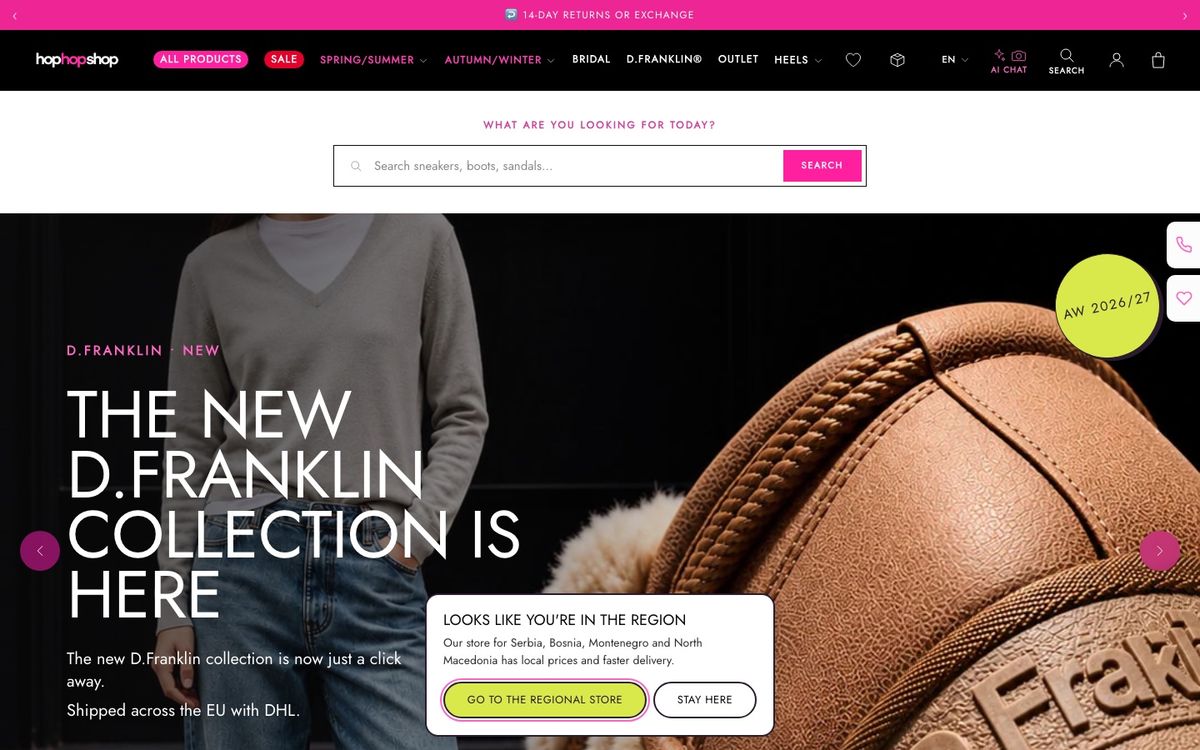
We have built both setups. Barbosa Fashion sells to Slovenia, Croatia and Italy from one store in euros. For Hop Hop Shop we built a separate EU storefront on the same theme, in four languages, next to the Serbian store, because the Serbian company can't use Shopify Payments to charge in euros.
How to set up Shopify Markets: a checklist
- List the countries you sell to and group them into markets by currency, language and shipping, not by geography alone.
- Decide on subfolders or country domains before launch. Changing later means redirects and lost time in search.
- Check that Shopify Payments is available to your company. If it isn't, plan currencies around that.
- Add languages, translate with Translate & Adapt, and have a native speaker review product pages and checkout texts.
- Set pricing per market: automatic, manual rate or catalog prices, plus rounding.
- Add HS codes and turn on duties collection if you ship outside your customs area.
- Set shipping rates and payment methods per market.
- Check hreflang in the page source, submit sitemaps, and test redirects and the country selector from each country with a VPN.
If you'd rather have it set up for you, our international ecommerce service covers markets, domains, translations, duties and the SEO side of going international. You can see our prices on the pricing page.
FAQ
Is Shopify Markets free?
Yes. Creating country and region markets is free on every Shopify plan, with no limit on the number of markets. You pay for some features you use inside them: the currency conversion fee on Shopify Payments (1.5% or 2%), the duties fee if you collect duties at checkout, and the per-transaction fee if you use Managed Markets.
How many markets can I have on Shopify Basic?
As many country or region markets as you need. The old limit of 3 markets on lower plans no longer applies. Basic is limited in other ways: up to 20 languages, up to 3 active B2B catalogs, and no per-market theme or checkout customisation, which needs Advanced or Plus.
Do I need Shopify Payments for Shopify Markets?
Not to create markets, but you do to let customers pay in their local currency. Without Shopify Payments or Adyen, customers pay in the store's default currency. Managed Markets also requires Shopify Payments.
Does Shopify Markets handle hreflang?
Yes. Shopify generates hreflang tags automatically for every market with its own domain, subdomain or subfolder, plus an x-default tag. You can turn this off if you manage hreflang yourself.
What happened to Shopify Markets Pro?
It was replaced by Managed Markets, where Global-e acts as merchant of record. Managed Markets costs 3.5% per transaction (3.25% on Plus) and is available to businesses based in the US, Canada or the UK that use Shopify Payments.
Should I use one store with Markets or several stores?
One store with Markets is easier to run and is the right default. Use separate stores when a market has to be sold by a different company, needs a different payment setup, or differs so much in products and content that it is effectively a different site.
Scaling on Shopify Plus?
Migration, B2B, architecture, performance — we run the engagements other agencies hand back.
The checklist we run before touching a client's code
Get it by email, plus a few short notes over the next two weeks: what we see most often on Shopify stores and what actually fixes it.
Want more of our posts in your Google results? Add Codersy as a preferred source.
Add Codersy on Google(opens in a new tab)